 DE
DEKim brings new AI capabilities to real service processes with OFORK
Kim expands OFORK with more than just classic chat support.
With new capabilities around Agentic AI, Process Autopilot and AI-assisted service workflows,
Kim supports teams directly in their daily work.
Existing features also include ticket qualification, translation, ticket search,
OFORK knowledge support, chatbot and text optimization.
Not AI versus people – but AI supporting people.
Kim Process Autopilot
Agentic AI for service processes that are not just described, but truly supported
With Kim, new AI capabilities become directly usable inside OFORK. The focus is on supporting real service processes: structured workflows, intelligent assistance at every step, more usable knowledge and less manual routine work.
- new agentic AI capabilities for OFORK
- targeted support within real workflows
- closer to processes instead of just general chat
- a strong foundation for additional AI-assisted process capabilities
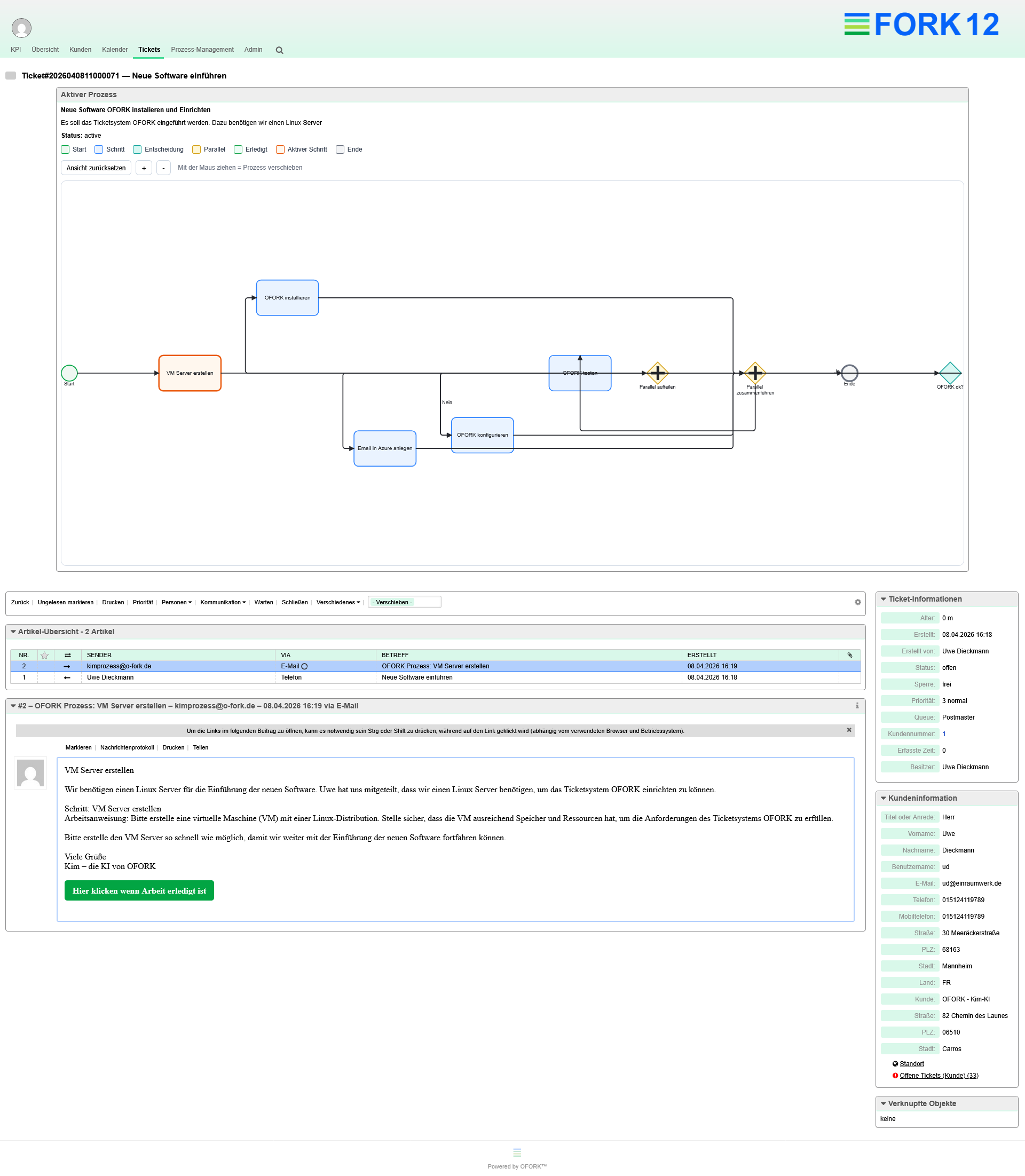
New Agentic AI Capabilities
Kim does more than answer questions – it is becoming increasingly integrated into real service and process workflows.
Process Autopilot
New AI capabilities help implement workflows in OFORK in a more structured, transparent and practical way.
Real Process Support
Kim is used where teams work every day: directly in service, directly in the ticket, directly in the process.
Why Kim?
Kim is not just another standard AI. Kim was developed specifically for OFORK and provides support exactly where daily work happens in support, help desk and service: in the ticket, in research, in writing, in translation and in new AI-assisted processes.
Full Data Control
Kim can run without third-party providers. This is especially important for companies, public authorities and organizations with high requirements for data protection, compliance and internal policies.
Integrated Directly into OFORK
Kim was developed for OFORK and works directly in the familiar environment. This reduces context switching and makes AI capabilities faster to use in everyday work.
Built for Real Workflows
Kim does more than help with responses – it is increasingly used for structured service processes, qualification and smarter workflows.
Kim supports professional support teams in OFORK
In addition to the new Agentic AI and process capabilities, Kim already offers many productive features for everyday support operations.
Already Productive Today
- Ticket qualification
- OFORK FAQ mode
- General AI mode
- Spell check and text optimization
- Ticket search in content, articles and readable attachments
- Translation of individual articles
- Translation of entire tickets
- Insert chat content into OFORK text fields
- Chatbot for website and customer portal
- Voice dictation
New Focus Areas
- stronger integration of AI into real service processes
- Agentic AI as a new stage of expansion
- Process Autopilot as a central future topic
- more support directly in operational work
- expanding Kim beyond pure chat functionality
- practical development based on real requirements
Kim works where support teams work
AI directly inside the ticket instead of a detached extra tool
- Search tickets by subject, content and attachments
- Find FAQ entries quickly and reliably
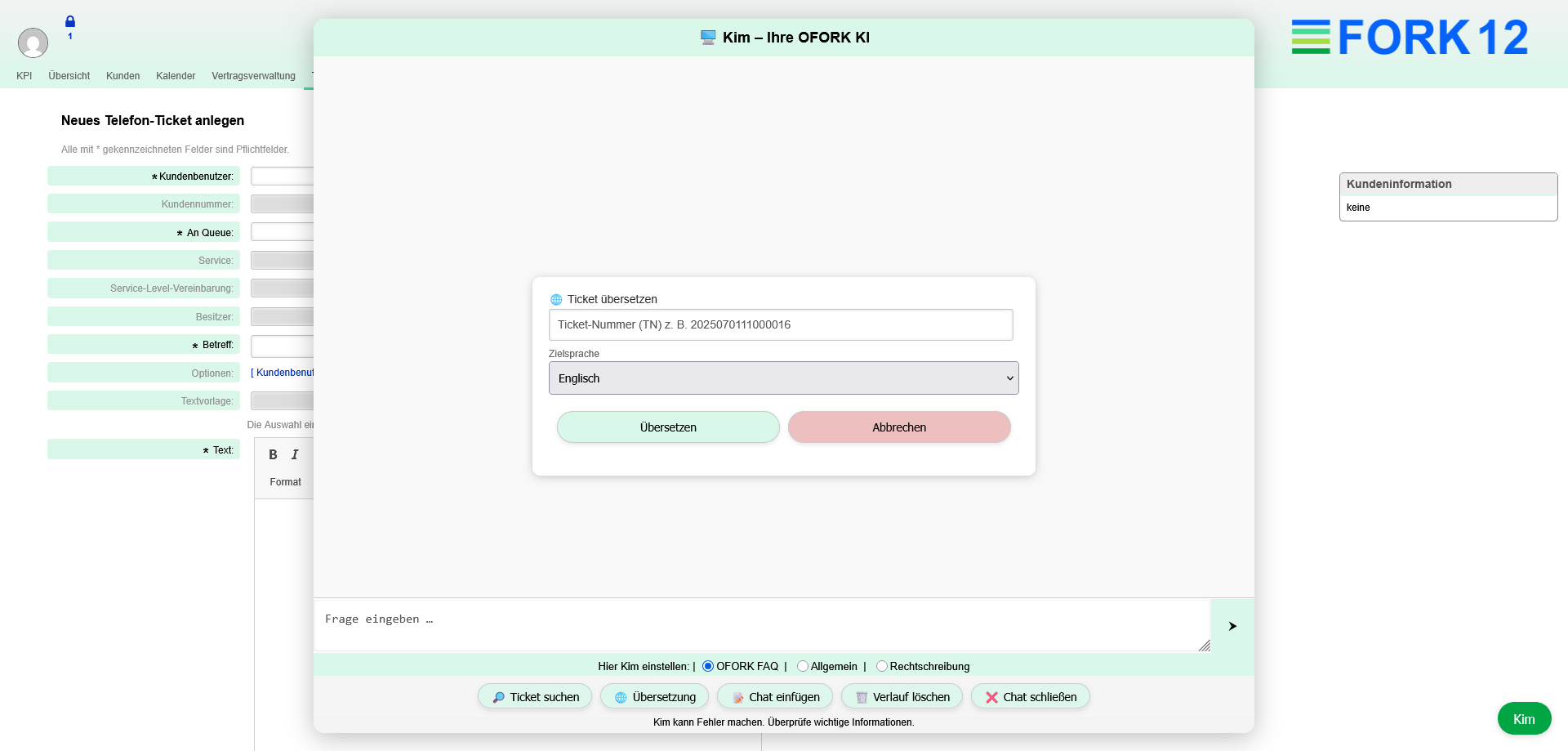
- Automatically transfer chat responses into forms
- Automatically analyze incoming emails
- Set queue, priority and status based on content
- Write, correct and translate texts
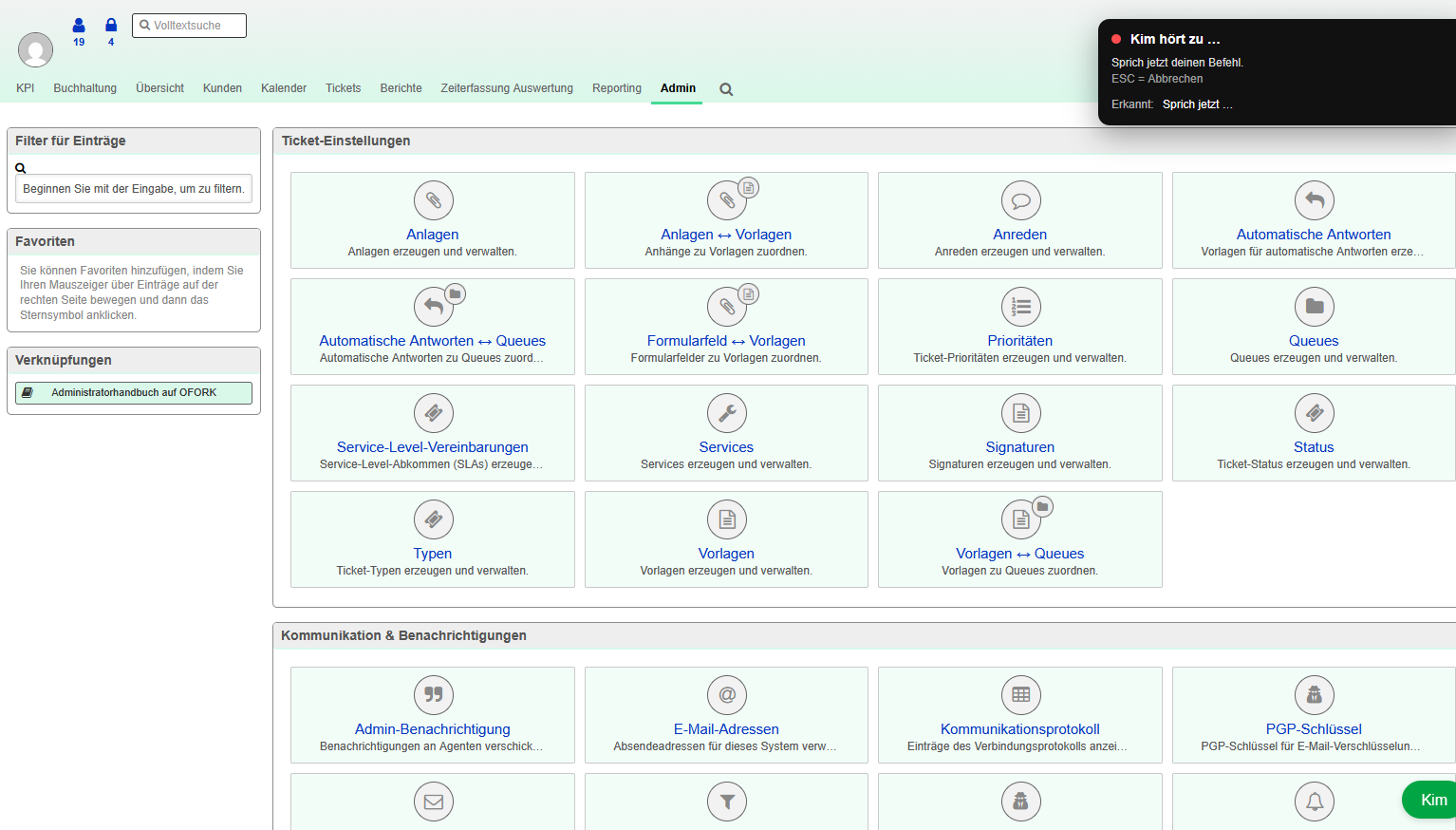
“Hey Kim!” for OFORK
Voice control, dictation and faster text creation
Kim supports users not only with searching and responding, but also with fast text input. Especially in situations where people are researching, documenting and communicating at the same time, this saves time and simplifies processing.
Dictated content can be corrected, optimized and inserted directly into OFORK fields.
Request a live demo of Kim for OFORK
In about 15–30 minutes, see how Kim brings new AI capabilities to OFORK: from Process Autopilot and Agentic AI to ticket qualification, search, translation and chatbot.
What you will see in the demo
- new Agentic AI capabilities for OFORK
- Process Autopilot and new AI support
- ticket qualification in practice
- ticket search including readable attachments
- translation, text optimization and insert function
- chatbot for customer portal or website
See it live instead of just reading about it
Kim shows its full strength especially in a live demonstration. There we show how new AI capabilities, process support, ticket analysis, translation and chatbot work together in real OFORK usage.
Request a Demo View Features Watch YouTube VideoCapabilities already available in Kim today
In addition to the new process and Agentic AI topics, Kim already offers many productive tools for everyday use in the OFORK system.
Ticket Qualification
Automatic queue assignment, prioritization and additional support for the structured handling of incoming requests.
OFORK FAQ Mode
Kim answers questions about OFORK and can access linked content, guides and known information.
General AI Mode
The general mode helps with phrasing, general questions, translations and everyday communication.
Spelling and Text Optimization
Texts can be quickly corrected and improved stylistically – including dictated content.
Ticket Search
Search within ticket content, articles and readable attachments to make existing knowledge easier to find.
Translation
Translate individual articles or entire tickets into multiple languages directly in daily work.
Insert Function
Chat content can be inserted directly into OFORK text fields, without manual copying and post-editing.
Chatbot for Customers
Kim can be integrated into customer portals or websites and, if desired, can create tickets directly from the chat.
Voice Dictation
Voice-based text input, followed by review and direct insertion into the OFORK work environment.
Frequently Asked Questions about Kim
Answers to typical questions about Kim, data protection, usage in OFORK and the new AI capabilities.
What is Kim?
Kim is the standalone AI for OFORK. It supports support teams with search, analysis, translation, text optimization and new AI-assisted processes.
What role do the new capabilities play?
The new capabilities bring Kim more deeply into real service processes. This includes Agentic AI, Process Autopilot and expanded AI support within operational workflows.
Can Kim be used without OpenAI or other third-party providers?
Yes. Kim is designed so that data does not have to be transferred to public third-party clouds.
Can Kim be used directly inside the OFORK system?
Yes. Kim was developed for working with OFORK and supports teams directly where tickets are processed, texts are written and information is searched.
Is there also a chatbot for customers?
Yes. Kim can be integrated into websites or customer portals and, if desired, can enable direct ticket creation from the chat.
Can I see Kim live?
Yes. In the live demo, we show how Kim works inside OFORK and which features are already productive today.
Get to know Kim now
Whether you are interested in new Agentic AI capabilities, Process Autopilot, ticket qualification, translation or chatbot: the following entry points take you directly to the most important areas.